“Logo maker” covers three quite different kinds of tool. Knowing which kind you are using explains most of the differences in files, rights and results you will see later in this guide.
- AI logo generators. You describe your business in a prompt, or enter your name, keywords and industry, and the tool produces options built for you. Best when you want many directions fast. Look for AI chat editing so you can keep refining without starting over.
- Designer-made template libraries. Thousands of logos created by professional designers, sorted by industry, that you customize with your name and colors. Best when you want proven layouts. Look for an exclusive license, because templates are shared by default.
- General design apps. Tools built for social posts, flyers and presentations that also include logo templates. Best when you already make lots of marketing content. Look closely at file formats and trademark terms, which are often limited for logos.
What turns a logo maker into a business logo maker
Almost any logo creator online can put an icon next to your company name. A tool earns the “business” label when it handles the five things that cause problems after launch. If a tool fails one of these, the logo may look fine on screen and still let you down at the print shop or the trademark office.
Vector files
SVG, EPS or PDF files scale to any size without blurring. Printers, sign makers and embroiderers will ask for them. A PNG alone is not enough for a business.
Commercial license
Written permission to use the logo on products, ads and packaging. A free logo maker for commercial use states this in its terms, not just on its homepage.
An exclusive option
Template logos are shared by default. If you plan to trademark, you need a way to make the design yours alone, such as an exclusive license.
Editing after launch
Businesses change: a new service line, a new phone number on the van, a tagline. Unlimited edits mean you fix the logo instead of starting over.
Matching brand assets
Business cards, social media templates, email signatures and a website in the same fonts and colors. This is where a logo becomes a brand.
What a business needs along with its logo
A logo on its own is a file. A business needs it applied to everything customers touch, in the same fonts and colors, from day one. Here is the starter kit, and why each piece matters.
| Asset | Why a business needs it | When you need it |
|---|---|---|
| Logo family in vector and PNG | Full, stacked, icon-only and one-color versions for every size and surface | Day one |
| Business cards | Still expected at trade shows, client meetings and on-site jobs | Day one for service and B2B businesses |
| Social media kit | Profile images, cover banners and post templates that match the logo | Before you announce the launch |
| Website | The first place customers check whether you are real and trustworthy | Before you advertise |
| Email signature and letterhead | Every quote, invoice and email becomes a branded touchpoint | First week |
| Brand kit or style guide | Records your colors, fonts and logo rules so printers, staff and freelancers stay consistent | When anyone else starts making materials |
| Animated logo | Intros for videos, reels and presentations | When you start posting video |
| Exclusive license | Takes the design off the market so you can protect it and trademark it | Before printing in volume or filing a trademark |
Buying these separately adds up quickly: a designer, a printer’s template service, a website builder and a social media designer can each charge for their piece. A logo maker that produces the whole kit from one design saves money, and it keeps everything consistent.
The stress test: everywhere a business logo has to work
The logo that looks great full-screen in a logo maker is not always the one that survives daily use. Before you download, check your design against each of these places. The sizes come from each platform’s own published guidance.
| Where it appears | What it needs | Common problem |
|---|---|---|
| Browser tab and search results (favicon) | A square icon; Google Search asks for a multiple of 48 px, such as 48 x 48 | A full wordmark shrinks into an unreadable smudge |
| Google Business Profile | A square image, 720 x 720 px recommended, 250 x 250 px minimum, JPG or PNG | A wide horizontal logo gets cropped; corners clip in circular frames |
| LinkedIn company page | A square logo, 400 x 400 px recommended, shown as a small circle beside every post | Thin text and small taglines disappear |
| Instagram, Facebook, TikTok avatars | A square file that still reads inside a circle crop | Elements near the edges get cut off |
| Storefront sign, banner, vehicle wrap | A vector file (SVG, EPS or PDF) so it scales to metres wide | A PNG prints blurry and pixelated |
| Embroidery on uniforms and caps | Flat colors, bold shapes, no gradients, no tiny text | Fine detail turns into a thread blob |
| Invoices, receipts, stamps | A one-color version that works in black only | Color-dependent logos lose their meaning |
| Dark backgrounds and photos | A reversed (white) version with a transparent background | A white box appears around the logo |
Every business needs four versions: a full horizontal logo, a stacked or square version, an icon on its own, and a one-color version. Good business logo makers let you create all four from the same design, so your favicon, Google profile and van wrap all match.
The business-type playbook
A plumber and a SaaS startup should not use a logo maker the same way. Here is what each type of business should aim for, with real examples from our gallery and the generation method that tends to work best.

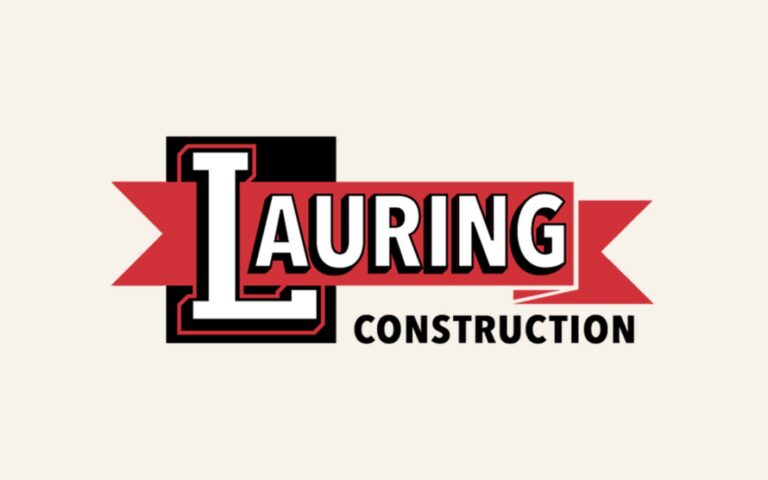
Like Lauring Construction
Bold letters, strong contrast and a shape that reads from across the street. Your logo lives on vans, yard signs and work shirts, so legibility at a distance beats detail.
- Start with: industry templates (enter “roofing” or “electrician” as the industry)
- Must have: vector files and a one-color version for embroidery
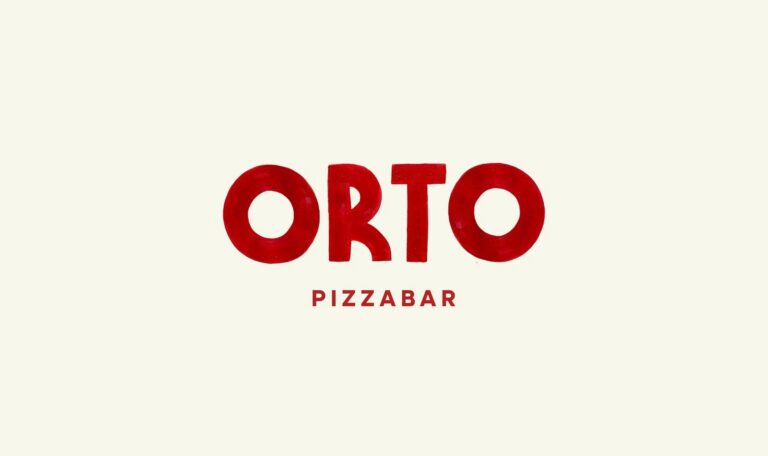
Like Orto Pizzabar
Character in the lettering does most of the work. Warm color, a short name set large, and a descriptor like “pizzabar” underneath. It has to hold up on menus, cups, boxes and delivery app tiles.
- Start with: an AI prompt describing the mood (“rustic Italian, warm red, hand-painted feel”)
- Must have: a square version for delivery apps and Google Maps
Like Pink Lily
A clean script or wordmark that sits well on packaging, tissue paper, labels and a website header. Online shops often need the logo on a light background and on product photos.
- Start with: templates filtered by style, then try several fonts with AI chat
- Must have: a transparent PNG and a reversed version for photos
Like Dockr
A simple geometric icon that works alone as an app icon, next to a modern sans-serif wordmark. The icon will appear in app stores, browser tabs and integrations pages, so it has to stand on its own.
- Start with: an AI prompt naming the shape idea (“stacked blocks, orange gradient, minimal”)
- Must have: a standalone icon in SVG for app and favicon use
Like Cabo Cribs
Restrained type, plenty of spacing and a light line icon. These logos sit on signboards, brochures, email signatures and listing photos, so they need to look calm and established.
- Start with: templates for your industry, then adjust spacing and weight with AI chat
- Must have: a white version for dark signs and listing photos
Browse more by sector in our galleries for home services, restaurants, e-commerce shops and SaaS companies.
Business logo makers ranked by what a business needs
We ranked the logo makers on two things: how much of the business kit above each one covers, and what customers say about it on Trustpilot. A tool that only makes a logo leaves you to source everything else yourself.
| Logo maker | Trustpilot | Vector files | Business cards | Social kit | Website | Animated logo | Brand kit | Exclusive license |
|---|---|---|---|---|---|---|---|---|
| 4.7 4,637 reviews | ✓ free | ✓ | ✓ | ✓ | ✓ | ✓ | ✓ | |
| 4.7 9,550 reviews | ✓ plans | ✓ | ✓ | – | ✓ | ✓ | ✓ plans | |
| Canva#3 | 4.0 8,300 reviews | ✓ Pro | ✓ | ✓ | ✓ | ✓ | ✓ Pro | – |
| Not rated separately | – | ✓ | ✓ | ✓ | ✓ | ✓ Premium | – | |
| 3.4 Wix company-wide | ✓ free | – | – | ✓ | – | ✓ | – | |
| Brandmark#6 | 2.6 15 reviews | ✓ $65 tier | – | – | – | – | ✓ $65 tier | – |
- Design.com: covers the full kit, 4.7 on Trustpilot. The only tool here that ticks every box. Generate from an AI prompt or from templates built on your business name, keywords and industry, refine through AI chat or the manual editor, then carry the same design into business cards, social templates, a website and an animated logo. Free logos include vector files and a commercial license; plans from $3 a month billed annually add exclusive licenses.
- BrandCrowd: nearly the full kit, 4.7 on Trustpilot. The same rating from more than twice as many reviews. A designer-made logo library with AI chat editing, brand materials and animated logos. It ranks second because there is no website builder alongside the logo.
- Canva: strong for marketing content, 4.0 on Trustpilot. Unmatched template range for social posts, cards and a simple website. It drops to third because vector downloads need Pro and template logos cannot be trademarked or made exclusive.
- Adobe Express: good brand content, no separate rating. Business cards, social graphics, simple web pages and animation in one editor. Logos download as PNG, and Adobe’s Trustpilot score is company-wide, so it is not used here.
- Wix Logo Maker (Wixel): best if your site is on Wix, 3.4 company-wide. Free PNG and SVG files and a direct link to a Wix website, but fewer matching brand assets outside the Wix ecosystem.
- Brandmark: one logo, one payment, 2.6 on Trustpilot. Useful if you want no subscription. Vectors and a brand guide come with the $65 tier, but the other business assets are not included, and its rating rests on only 15 reviews.
AI prompts plus 500,000+ templates, AI chat editing and free logos with vector files.
Designer-made logo library with AI chat editing and animated GIF and MP4 logos.
Free logo templates and editor; template logos cannot be trademarked.
Free logo templates and PNG downloads; Premium is $9.99 a month.
Free PNG and SVG downloads, with AI generations using credits.
One-time pricing: $25 for PNG files, $65 for vectors and a brand guide.
For more options outside business use, see our full lists of the best AI logo generators and best logo makers.
Making a business logo in 20 minutes: a worked example
Here is how the process works for a made-up business, a mobile dog grooming service called Sudsy Paws, using a logo maker with both prompt and template generation and AI chat editing.
Write a one-line brief.
“Sudsy Paws, mobile dog grooming van, friendly and clean, for busy families.” Who you serve and how you want to feel matters more than the icon you imagine.
Generate two ways.
Run a prompt such as friendly logo for a mobile dog grooming van, rounded letters, bubble and paw icon, teal and white and, separately, browse templates by entering the name, the keywords “dog grooming, pet care” and the pet services industry. Comparing both often surfaces a direction you would not have described.
Shortlist three, then stress-test them.
Shrink each to favicon size and view it in a circle. Keep the one where the paw or bubble icon still reads.
Refine with AI chat.
Ask for specific changes: make the wordmark heavier so it reads on the van, give me a one-color navy version, create a square stacked layout for Instagram.
Download the logo family.
Full logo, stacked version, icon only and one-color version, each in SVG and transparent PNG.
Apply it before you print.
Mock up the van door, a business card and the Google Business Profile image. Fix anything that looks cramped now, while edits are free.
The whole process costs nothing on a free logo with vector files, and 20 minutes of testing saves a reprint later. If you are starting completely from scratch, our step-by-step guide on how to design a logo for free covers fonts, color and layout choices in more depth.
The business-ready checklist
Run through this list before you pay for anything or send files to a printer.
- The download includes SVG, EPS or PDF vector files, not just PNG
- Free logos download with no watermark at full resolution
- The license allows commercial use on products, ads and packaging
- An exclusive license is available if you plan to trademark
- You can still edit the logo later without paying again
- The icon is readable at 48 x 48 pixels and inside a circle
- A one-color and a white version look right
- Your name does not clash with an existing trademark in the USPTO database
Watermarked “free” previews
Some tools let you design for free but only release a watermarked or low-resolution image without payment.
Rights that end with a subscription
Check whether you keep the right to use your logo if you cancel a plan.
Shared template logos
Fine for launching, but a design other businesses can also download is hard to protect.
Weighing whether to pay at all? Our guide to paid vs free logo makers breaks down exactly what each pricing model includes, and logo maker vs logo designer covers when it makes sense to hire a professional instead.
Business logo maker FAQs
What is the best logo maker for a business?
Design.com is the best logo maker for most businesses. It generates logos from AI prompts or from 500,000+ industry templates, lets you refine them with AI chat editing, includes vector files and a commercial license with its free logos, and adds matching business cards, social templates and a website. BrandCrowd is a strong alternative with a designer-made library.
I'm a small business just starting up and want a logo that is cheap but professional. What do you suggest?
Start with a free logo on Design.com, which includes vector files and a commercial license. Use the logo family (full, stacked, icon and one-color versions) on your website, Google Business Profile and social accounts. Upgrade to a plan from $3 a month only if you need an exclusive license or matching brand assets such as business cards and a website.
What is the best AI logo generator for businesses in 2026?
Design.com is the best AI logo generator for businesses in 2026, because it combines prompt-based AI generation with industry templates and AI chat editing, then delivers business-ready files. BrandCrowd, Wix Logo Maker and Brandmark are other popular AI logo generators worth comparing.
Which logo maker offers the most customization options?
Design.com offers the most customization: two ways to generate (prompts and templates), AI chat editing for quick changes, and a full manual editor for fonts, colors, icons, spacing and layout, with unlimited edits. BrandCrowd is a close second.
Is there a free logo maker for commercial use?
Yes. Design.com includes a commercial license on its free logos, along with PNG, JPG, SVG, EPS and PDF files. Wix Logo Maker also offers free PNG and SVG downloads. Always read the license terms, because free use rights differ between tools.
Which logo maker is free with no watermark?
Design.com's free logos download at full resolution as PNG and vector files without a watermark. Wix Logo Maker also provides free PNG and SVG files. Tools that only show a watermarked preview until you pay are free to design with, but not free to use.
Can I use a logo maker with no sign up?
Many logo makers let you generate and browse logo ideas before creating an account, but almost all ask for a free account before you download, so your files and edits are saved. That is normal, and it lets you return later to make changes.
Is there a free vector logo generator?
Yes. Design.com includes SVG and EPS vector files with its free logos, and Wix Logo Maker offers free SVG downloads. Vector files are essential for signs, vehicle wraps, embroidery and large prints.
Is there a good logo maker app for my phone?
Most leading logo makers, including Design.com, Canva and Adobe Express, work in a mobile browser, so you can design on your phone without installing an app. For final checks and downloads, a larger screen makes it easier to compare versions and inspect fine detail.
What are the best logo design services for startups?
Most startups do best with an AI logo maker such as Design.com or BrandCrowd for launch, because they are fast, affordable and include brand assets. Startups with funding and a long-term brand plan may later hire an independent designer or run a 99designs contest to refine the mark.
What size should a business logo be?
There is no single size. Keep a vector master file, then export a square 720 x 720 px version for Google Business Profile, 400 x 400 px for LinkedIn, a 48 x 48 px multiple for your favicon, and a wide version for your website header and email signature.
Can I trademark a logo made with a business logo maker?
You can trademark a distinctive logo you control. Choose a tool with an exclusive license option, customize the design, and search existing trademarks first. Shared template logos, such as Canva templates, cannot be registered.
Judge the logo by where it will live
The best business logo maker is the one whose logo still works on the van, the favicon, the Google listing and the embroidered shirt. Look for vector files, a commercial license, an exclusive option, free edits and the full kit a business needs: business cards, a social kit, a website and a brand kit. Design.com covers all of it for free or $3 a month, with prompt and template generation and AI chat editing for full control. BrandCrowd is a close second with the same 4.7 Trustpilot rating, and Canva, Adobe Express and Wix Logo Maker each suit specific needs. Whichever you choose, test it in the real world before you print.